
SIMULATION –
You need to configure a virtual machine named VM1 to securely access stored secrets in an Azure Key Vault named az400-11566895-kv.
To complete this task, sign in to the Microsoft Azure portal.
Correct Answer: See explanation below.
You can use a system-assigned managed identity for a Windows virtual machine (VM) to access Azure Key Vault.
1. Sign in to Azure portal
2. Locate virtual machine VM1.
3. Select Identity
4. Enable the system-assigned identity for VM1 by setting the Status to On.
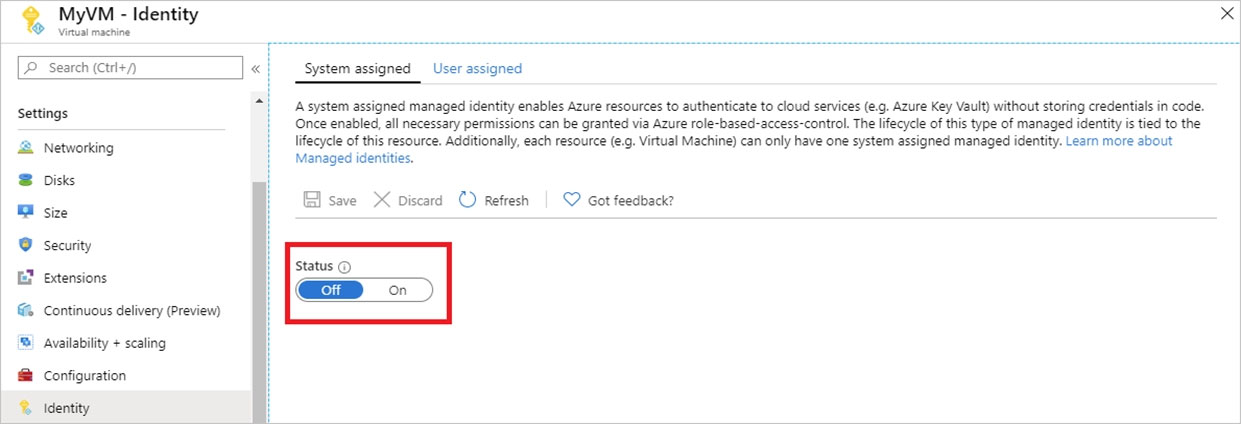
Note: Enabling a system-assigned managed identity is a one-click experience. You can either enable it during the creation of a VM or in the properties of an existing VM.
In a nutshell:
1) Enable Identity for VM
2) Go to KV
3) Go to Access Policies
4) Click Add new, select your resource, check proper permissions
5) Add
6) Save
Reference: